
Designing experiences
that convert.
From discovery and research through to production-ready interfaces — I translate complex user needs and business objectives into digital experiences that are clear, usable, and built to perform.
Process, not just pixels
Good UX isn’t guesswork. Every engagement starts with understanding the business, the user, and the gaps between them — then building toward solutions with research, structure, and iteration baked in from the start.
Discovery & Research
Strategy & Architecture
Design & Prototyping
Test, Refine & Deliver
UI
UX
UI
UX
Research
UI
System
UX
UX
Research
UX
UX
System
Full-spectrum UX & design
Every engagement draws on a connected set of skills — from discovery through delivery — shaped by 15+ years across agencies, enterprise, and founder-led businesses.
UX Strategy
Research synthesis, journey mapping, competitive analysis, and experience frameworks that define the “why” before the “what.”
UI Design
High-fidelity interfaces, design systems, and visual direction that balance brand expression with usability and consistency.
User Research
Interviews, usability testing, surveys, and behavioral analytics translated into actionable design decisions and clear priorities.
Prototyping
Interactive prototypes that test ideas, validate flows, and align stakeholders before a single line of production code is written.
Design Systems
Component libraries, pattern documentation, and usage guidelines that scale design quality across teams and codebases.
Conversion Optimization
Data-driven UX improvements — A/B testing, funnel analysis, heatmaps, and iterative design that moves the metrics that matter.
UX Strategy
Research synthesis, journey mapping, competitive analysis, and experience frameworks that define the “why” before the “what.”
UI Design
High-fidelity interfaces, design systems, and visual direction that balance brand expression with usability and consistency.
User Research
Interviews, usability testing, surveys, and behavioral analytics translated into actionable design decisions and clear priorities.
Prototyping
Interactive prototypes that test ideas, validate flows, and align stakeholders before a single line of production code is written.
Design Systems
Component libraries, pattern documentation, and usage guidelines that scale design quality across teams and codebases.
Conversion Optimization
Data-driven UX improvements — A/B testing, funnel analysis, heatmaps, and iterative design that moves the metrics that matter.
Case Studies
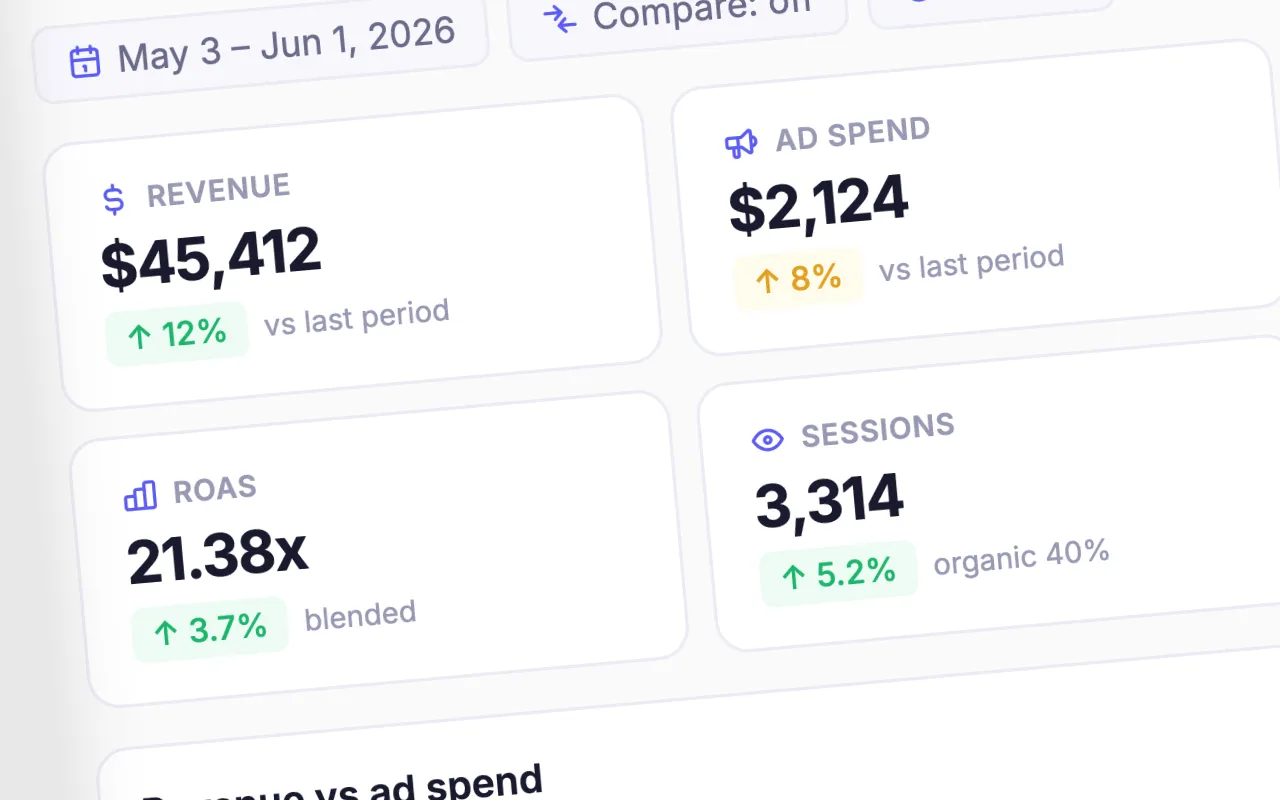
AI Ops Dashboard
A custom-built ops dashboard that goes where off-the-shelf tools stop. Live data across every source, with AI analysis and recommendations built in.

JennAir Luxury eCommerce
Redesign of a luxury appliance eCommerce experience, focused on product discovery, navigation, and conversion across web and mobile.

Gretsch Golf Academy Startup
Built and scaled a premium indoor golf academy, designing the full business system across marketing, operations, and technology.
ITsavvy
A search-driven redesign simplifying a complex service structure into a clearer, faster shopping experience.

Glassybaby
Targeted UX improvements focused on product visibility, navigation and interactive features across the shopping experience.

Blackhawks Trainer App
Recruitment mobile app prototype for player development, coach-player communication and performance tracking.
Inside the design process
High severity
High severity
Quick win
High impact
High impact
Design Philosophy
These are the principles that don’t change project to project — the judgment calls that shape every decision underneath them.
01
Clarity over cleverness
The best interfaces are invisible. Users should accomplish their goals without noticing the design — which means every decision is made in service of the task, not the designer’s expression.
02
Research before rectangles
Design without understanding the user is decoration. Every engagement starts with discovery — because the right question answered early is worth more than a hundred polished screens built on assumptions.
03
Business outcomes, not deliverables
A beautiful prototype that doesn’t move a metric has failed. UX work is only successful when it connects clearly to conversion, retention, efficiency, or revenue — not just user satisfaction scores.
04
Systems thinking at every scale
Every screen is part of a larger experience. Every component is part of a system. Designing one without understanding the other creates debt that accumulates fast and compounds across teams.